-
Shop
- Adidas
- Advanced Technologies
- AI Skills Mastery 2026 Collection
- Apple Accessories
- Best-Sellers
- Car Accessories
- Dating & Social Confidence
- Dating & Social Skills
- Digital Resources
- Education & Learning
- Family & Parenting
- Fashion
- Fashion Accessories
- Furniture
- Gadgets
- Health & Beauty
- Health & Wellness
- Home & Garden
- Home Supplies
- Kids & Babies
- Kitchen Best-Sellers
- Lighting
- Nike
- Patio, Lawn & Garden
- Personal Growth
- Pet Care
- Pet Supplies
- Pets
- Shoes
- Sport & Outdoors
- Stress Relief & Relaxation
- Summer 2025 Fashion Collection
- Sunglasses
- Super Deals
- Travel
- Travel & Outdoors
- Wealth
- Wealth Building
- Women’s Wellness & Lifestyle
- Popular
- Best deals
Hidden AirTag Bike Bell: Discreet Tracking & Safety
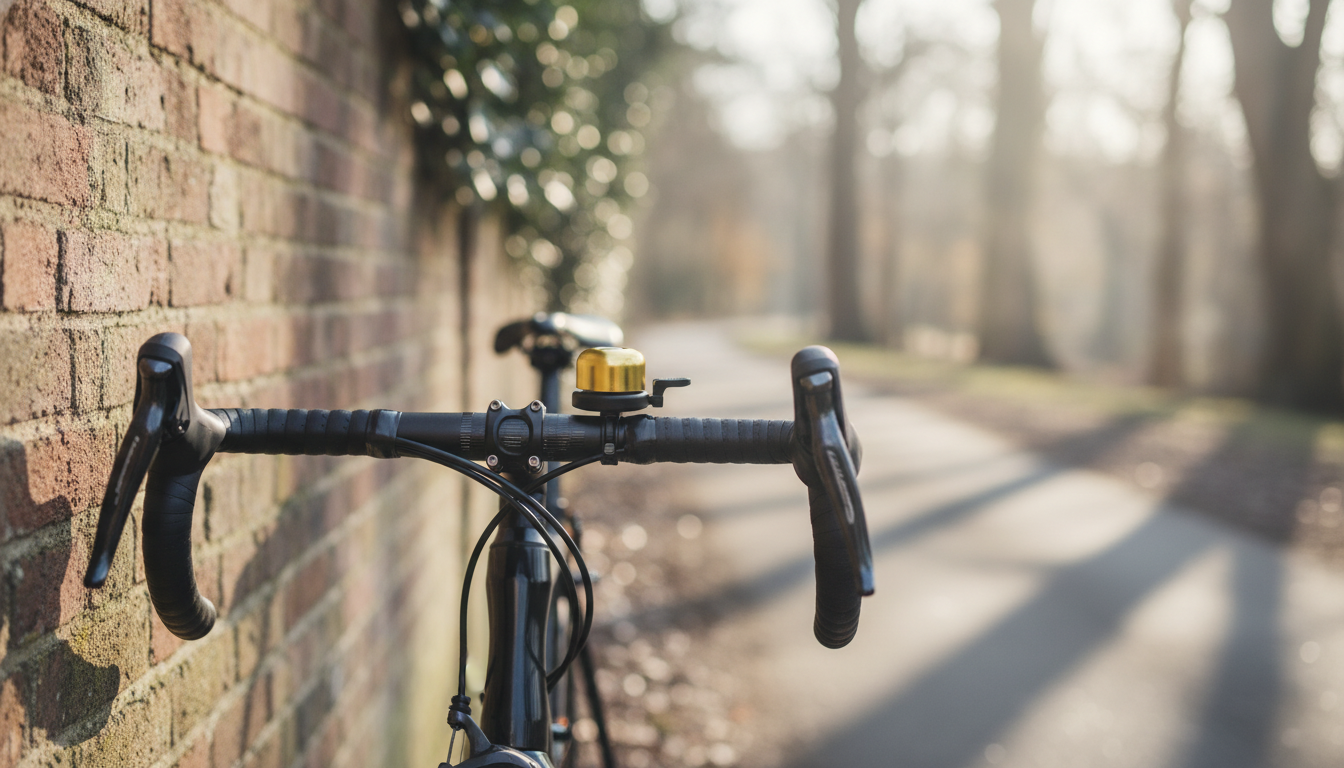
Bike Bell with Hidden Apple AirTag Holder & Anti-Theft GPS Tracker: safer rides, smarter recovery
A bike bell that also hides an Apple AirTag pairs two everyday wins: an audible alert for shared paths and traffic, plus discreet location tracking if your bike ever disappears. The best hidden bell mounts look and function like a normal accessory while keeping the AirTag seated, protected from weather, and harder to spot or remove. Below is a practical guide to how these bells work, what to check before buying, how to install one neatly, and how to use Apple’s Find My features effectively after setup.
Why a hidden AirTag bike bell can deter theft
Most bike thefts are opportunistic, and thieves often scan for obvious trackers first. A bell-style AirTag holder helps because it blends in with typical cockpit accessories and doesn’t advertise that tracking is onboard.
- Looks normal: A bell rarely draws suspicion, reducing the chance someone immediately searches for and removes the tracker.
- Good placement for detection: Mounted up on the handlebar area, the AirTag may have a better chance of being “seen” by nearby Apple devices than if it’s buried low inside a metal frame cavity.
- Real utility every ride: Bells make riding safer and are required or recommended in many areas, so you’re not adding a “single-purpose” gadget.
- Best as layered security: A strong lock helps prevent theft; an AirTag improves recovery odds if theft happens anyway.
How AirTag tracking works on a bike
AirTag tracking isn’t the same as dedicated real-time GPS. It relies on Apple’s Find My network, which can still be extremely effective in places with lots of iPhones and other Apple devices nearby.
- Find My network basics: The AirTag broadcasts a Bluetooth signal; nearby Apple devices detect it and relay an encrypted location to iCloud that only the owner can see in the Find My app.
- Precision Finding (supported iPhones): When you’re close, certain iPhones can guide you to the AirTag with direction and distance cues, helping you pinpoint a bike in a garage, courtyard, or rack area.
- Update frequency varies: Location refresh depends on how often Apple devices pass within range, so movement and crowded areas typically produce more updates.
- Anti-stalking alerts exist: Apple includes protections that may notify someone if an unknown AirTag appears to be traveling with them. For theft recovery, this can mean a thief using an iPhone may eventually get an alert.
For Apple’s official guidance, see Apple Support: Use the Find My app to locate a missing device or item and the AirTag and Find My network overview.
Fit, compatibility, and what to check before buying
Not every bell fits every cockpit cleanly. A little compatibility checking up front helps prevent slipping clamps, awkward lever reach, and annoying rattles.
Quick compatibility checklist
| Check | Why it matters | What to look for |
|---|---|---|
| Handlebar clamp size | Prevents slipping and rotation | Fits standard bars and includes shims if needed |
| Bell strike and loudness | Audible warning in traffic or on shared paths | Clear ring; lever is easy to press |
| AirTag seating | Stops rattling and accidental loss | Firm retention and secure cover |
| Mount placement | Avoids interference with controls | Works near stem or beside grips |
| Water exposure | Protects electronics | Shielded cavity; corrosion-resistant hardware |
- Handlebar diameter compatibility: Confirm the clamp suits common bar sizes, ideally with included shims for a snug fit.
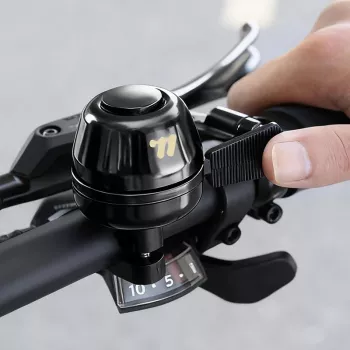
- Space and ergonomics: Make sure the lever is reachable without bumping your grip, brake lever, or shifter paddles.
- AirTag fit: The holder should fully seat an Apple AirTag and close securely so it won’t buzz on rough pavement.
- Weather and vibration resistance: Look for a design that shields against spray and resists loosening over time.
- Security details: Concealed fasteners or tool-required closures make casual tampering less likely.
Installation steps for a clean, discreet setup
A tidy installation keeps the bell functional and helps the tracker remain unnoticed. Plan placement first, then tighten carefully.
- Choose position: Many riders place it near the stem for lower visibility while keeping the lever easy to reach with the thumb.
- Fit the clamp: Open the clamp, set it on the handlebar, and add a shim if required to eliminate play.
- Tighten evenly: Tighten until the bell doesn’t twist under hand pressure. Avoid overtightening, especially on lightweight alloy or carbon bars.
- Insert the AirTag: Place the AirTag with the battery side oriented as the holder design requires; confirm it sits flush and the cover closes completely.
- Test ride: Listen for rattles, verify the bell rings clearly, and re-check fastener tension after a few rides.
Using Find My effectively after installation
Practical limits and security best practices
Product picks for commuting and everyday carry
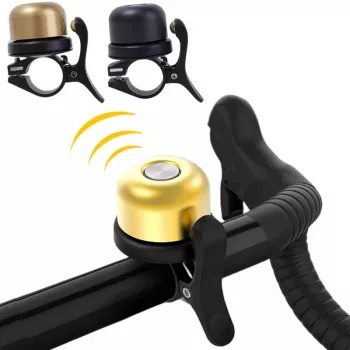
- Bike Bell with Hidden Apple Airtag Holder & Anti-Theft GPS Tracker — a bell that conceals an AirTag compartment for discreet tracking and everyday ringing.
- Universal Magnetic Car Phone Holder Stand for Air Vent Mount — useful for commuters who drive partway and want quick phone access for navigation before or after a ride.
FAQ
Does an AirTag work as a real-time GPS tracker for a bike?
No. AirTag relies on the Find My network and nearby Apple devices, so location updates are not continuous like dedicated GPS/cellular trackers and depend on how often compatible devices pass within Bluetooth range.
Will the AirTag still be detectable if it’s hidden inside a bike bell?
In most cases, yes. Enclosure thickness and materials can slightly affect signal strength, but well-designed hidden mounts still allow Bluetooth detection; avoid fully shielded metal enclosures and make sure the AirTag is seated correctly.
Can a thief get notified that an AirTag is traveling with them?
Yes. Apple’s anti-stalking protections can alert someone if an unknown AirTag appears to be moving with them over time, so pairing a hidden mount with strong locking habits and a quick response improves the odds of recovery.














Leave a comment