-
Shop
- Adidas
- Advanced Technologies
- AI Skills Mastery 2026 Collection
- Apple Accessories
- Best-Sellers
- Car Accessories
- Dating & Social Confidence
- Dating & Social Skills
- Digital Resources
- Education & Learning
- Family & Parenting
- Fashion
- Fashion Accessories
- Furniture
- Gadgets
- Health & Beauty
- Health & Wellness
- Home & Garden
- Home Supplies
- Kids & Babies
- Kitchen Best-Sellers
- Lighting
- Nike
- Patio, Lawn & Garden
- Personal Growth
- Pet Care
- Pet Supplies
- Pets
- Shoes
- Sport & Outdoors
- Stress Relief & Relaxation
- Summer 2025 Fashion Collection
- Sunglasses
- Super Deals
- Travel
- Travel & Outdoors
- Wealth
- Wealth Building
- Women’s Wellness & Lifestyle
- Popular
- Best deals
Wireless Gaming Headset Guide: Low Latency, Clear Comms
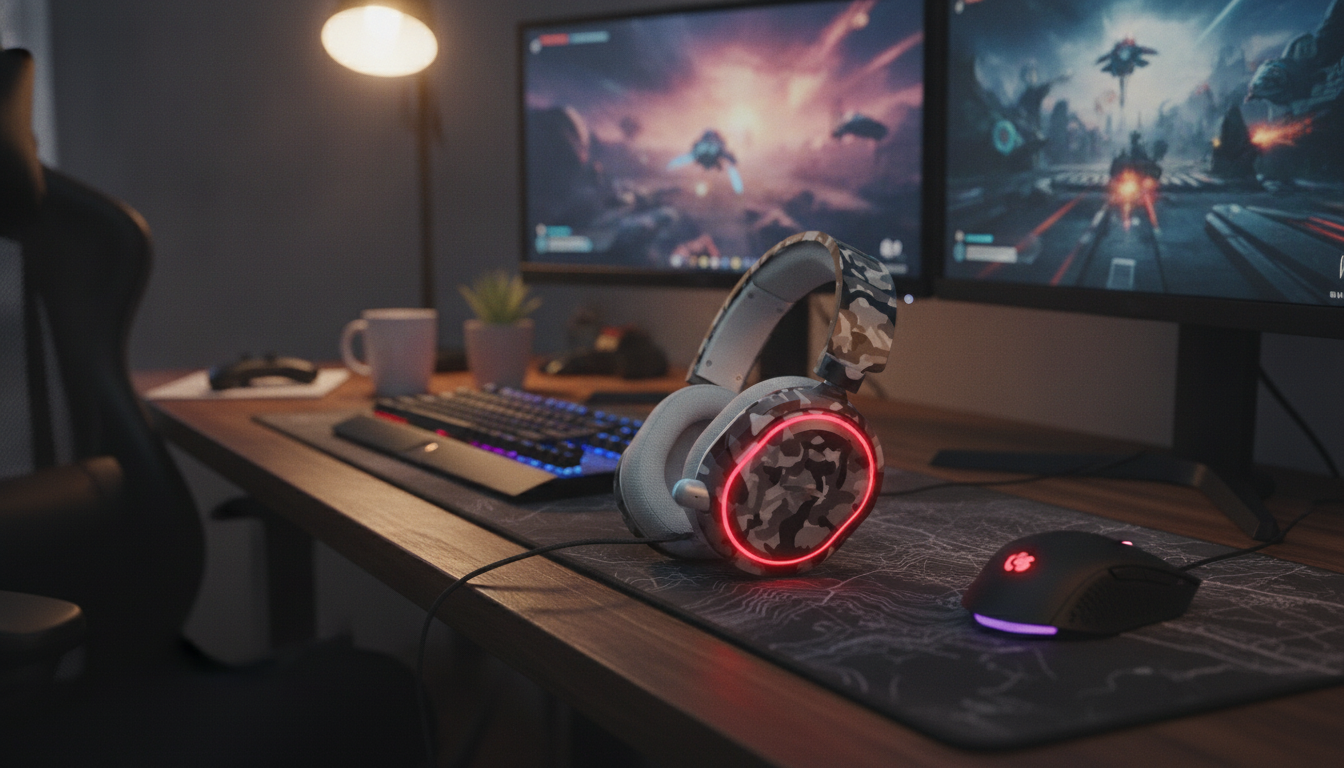
Wireless Gaming Headset: Comfort, Clarity, and Competitive Sound
A great wireless gaming headset should feel effortless for long sessions while delivering clear positional audio, reliable connectivity, and a mic that keeps teammates hearing every callout. This guide breaks down what matters most—latency, sound tuning, comfort, mic performance, and platform compatibility—so it’s easier to pick a setup that fits the way games are played.
What Makes a Wireless Headset Feel “Instant” in Games
When audio feels “instant,” it’s usually because the connection is consistent and the delay is low enough that movement and sound stay locked together. That matters most in fast shooters where footsteps and reload cues need to land precisely.
- 2.4GHz USB dongle is the go-to for low-latency play on PC and many consoles.
- Bluetooth is convenient for phones, tablets, and travel, but latency varies by codec and device.
- Dual-mode headsets (2.4GHz + Bluetooth) can be a best-of-both setup if device switching is part of the routine.
- Stability beats raw range: brief stutters or jitter can smear positional cues even if the headset technically “stays connected.”
- Interference is real: crowded Wi‑Fi areas, a dongle hidden behind a metal case, or long console distance can reduce consistency.
Practical placement helps: if the rear ports are blocked, front USB is fine—but if possible, keep the dongle in clearer line-of-sight, or use a short USB extension to move it away from other wireless devices.
| Connection | Typical latency | Best for | Trade-offs |
|---|---|---|---|
| 2.4GHz USB dongle | Low | Competitive play, PC/console | Requires a dongle; limited device hopping |
| Bluetooth | Medium to high (varies by codec) | Mobile, casual play, travel | Can introduce delay; mic quality may drop in headset mode |
| Wired (3.5mm/USB) | Very low | Zero-lag backup, tournaments | Cable management; less freedom |
Sound Tuning That Helps You Win (and Enjoy the Game)
Competitive audio is less about “more bass” and more about separation: the ability to hear details without them blending together. Many popular game mixes put crucial cues in the mids and upper frequencies, so a headset that’s too bass-forward can bury information you want.
- For footsteps and direction cues, clear mids/highs usually help more than boosted lows.
- Balanced tuning with optional EQ lets you switch between FPS clarity and RPG immersion without fighting the mix.
- Virtual surround can help some players perceive direction, but strong stereo imaging often stays more precise when the game’s mix is already well done.
- Fit changes sound: pad seal and comfort affect perceived bass, imaging, and fatigue over long sessions.
Quick EQ Starting Points (Adjust to Taste)
| Mode | Bass (60–120Hz) | Mids (500Hz–2kHz) | Highs (4–10kHz) | Use case |
|---|---|---|---|---|
| Competitive FPS | Slight down | Neutral to slight up | Slight up | Footsteps, clarity, direction cues |
| Immersion | Moderate up | Neutral | Neutral | Single-player, cinematic soundtracks |
| Chat-first | Down | Up | Neutral | Team comms and voice clarity |
Bluetooth listeners who want to understand why delay varies across devices can review codec details at Bluetooth Audio Codecs.
Mic Quality and Noise Control for Clear Callouts
A headset mic doesn’t need a “radio” sound to be effective. In-game, intelligibility and consistency win: teammates should understand you even when the match gets loud.
- Placement matters: keep the mic close enough to reduce room noise, but not directly in the path of breath.
- Noise suppression helps, especially with fans and keyboards, but overly aggressive processing can clip consonants (making callouts harder to understand).
- Sidetone (mic monitoring) helps you speak at a natural volume instead of shouting.
- Physical mute controls are faster than hunting for a software toggle mid-fight.
Mic Features Worth Having
| Feature | Why it matters | What to look for |
|---|---|---|
| Flip-to-mute or dedicated mute | Instant control in-game | Clear indicator and tactile switch |
| Sidetone | Natural speaking volume | Multiple levels or a wheel/slider |
| Detachable/replaceable mic | Longevity and upgrades | Standard connector; secure fit |
| Noise reduction controls | Cleaner comms | Adjustable strength; avoids over-processing |
Comfort for Long Sessions: Fit, Weight, and Heat
Comfort decides whether a headset is a daily driver or something that gets swapped out after an hour. Small differences—clamp, pad texture, and headband shape—add up quickly.
Battery, Charging, and Daily Convenience
A Solid Pick: In-Stock Options
- Wireless Gaming Headset — $149.80 (In stock)
- Cloud Modular Sectional Sofa with Deep Seats and Storage Ottomans — $2555.80 (In stock)
Setup Tips for Better Audio and Fewer Dropouts
If PC audio gets weird after device switching, Microsoft’s troubleshooting steps can help narrow it down: Fix sound or audio problems in Windows. For console-specific headset behavior, see PlayStation Support: Headset and audio on PS5 consoles.
FAQ
Is a 2.4GHz wireless headset better than Bluetooth for gaming?
For competitive gaming, 2.4GHz dongle connections are typically better because they deliver lower, more consistent latency. Bluetooth is great for convenience and travel, but it can introduce noticeable delay depending on the device and codec. Dual-mode headsets are a strong option if you need both.
How can mic quality be improved on a wireless headset?
Move the mic closer to your mouth, lower gain if background noise is coming through, and use moderate noise suppression instead of max settings that can clip speech. Turn on sidetone so you don’t shout, and double-check that the correct headset mic is selected in both system and in-game settings.
What should be checked for console and PC compatibility?
Confirm whether the headset uses a USB dongle, Bluetooth, or 3.5mm/USB wired mode, and make sure your platform supports that connection for both game audio and chat. Also check whether chat/game mix features work on your device, since some consoles handle mixing differently or require specific wireless protocols.
Recommended for you


750W Electric Meat Slicer for Fast, Even Home Prep
Jun 13, 2026
Cloud Modular Sectional: Deep Seats + Hidden Storage
Jun 13, 2026













Leave a comment